Base
- chessplotlib.plot_board(ax: matplotlib.axes._axes.Axes, board: chess.Board, checkers: bool = True)[source]
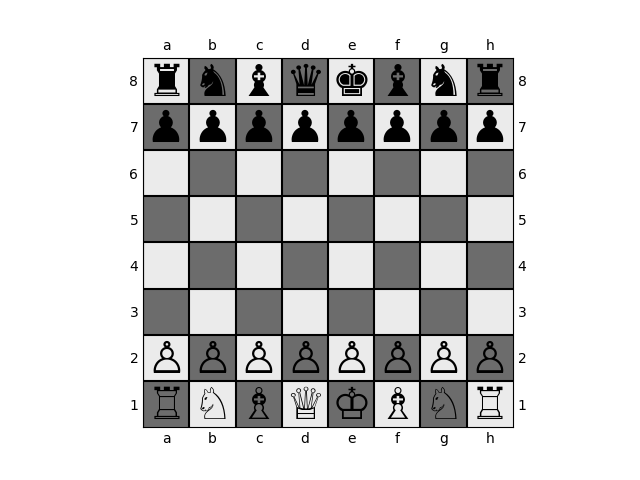
Plots the board position defined in the board object on the given axis.
- Parameters
- ax: plt.Axes
Axes to apply the board to.
- board: chess.Board
Board object to plot.
- checkers: bool, default=True
Whether or not to apply a checker pattern to the background.
Examples
>>> import chess
>>> from chessplotlib import plot_board
>>> import matplotlib.pyplot as plt
>>> board = chess.Board()
>>> ax = plt.gca()
>>> plot_board(ax, board)
>>> plt.show()
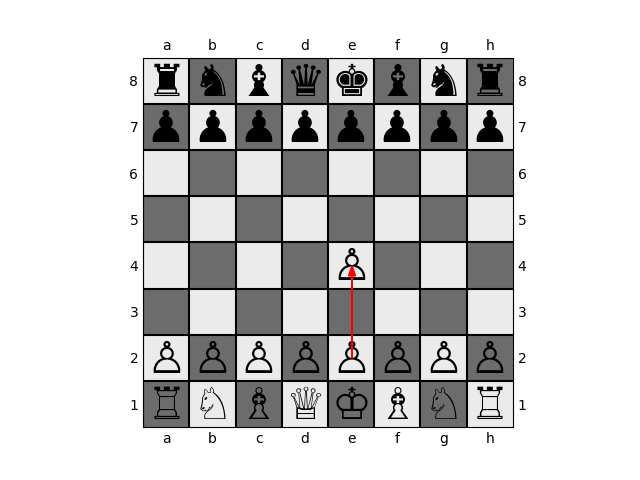
- chessplotlib.plot_move(ax: matplotlib.axes._axes.Axes, board: chess.Board, move: chess.Move, alpha: float = 1.0, color: str = 'red', piece_alpha: float = 1.0, piece_color: str = 'black')[source]
Visualizes a move on top of a plotted board.
- Parameters
- ax: plt.Axes
Axes containing the state of the board in which the move with take place
- move: chess.Move
Potential move represented with a chess.Move object
- alpha: float, default=1.0
Alpha value for move visual
- color: str, default=black
Color for move visual
Examples
>>> import chess
>>> from chessplotlib import plot_board, plot_move
>>> import matplotlib.pyplot as plt
>>> board = chess.Board()
>>> move = chess.Move.from_uci("e2e4")
>>> ax = plt.gca()
>>> plot_board(ax, board)
>>> plot_move(ax, board, move)
>>> plt.show()
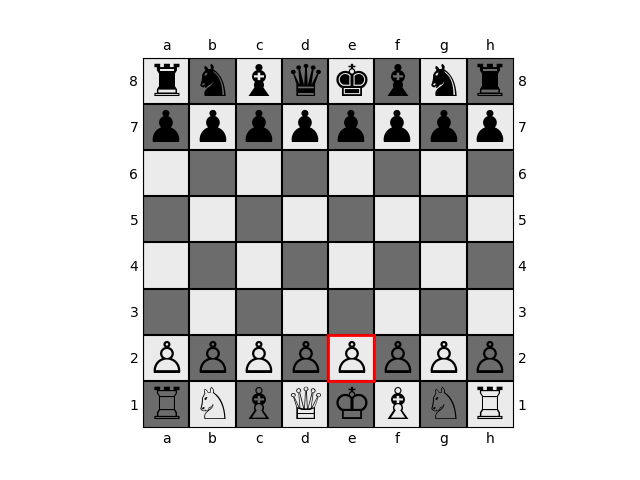
- chessplotlib.mark_square(ax: matplotlib.axes._axes.Axes, square: str)[source]
Highlights a square in a red outline.
- Parameters
- ax: plt.Axes
Axes containing the state of the board
- square: str
String name for square, (i.e. e1)
Examples
>>> import chess
>>> from chessplotlib import plot_board, mark_square
>>> import matplotlib.pyplot as plt
>>> board = chess.Board()
>>> ax = plt.gca()
>>> plot_board(ax, board)
>>> mark_square(ax, "e2")
>>> plt.show()
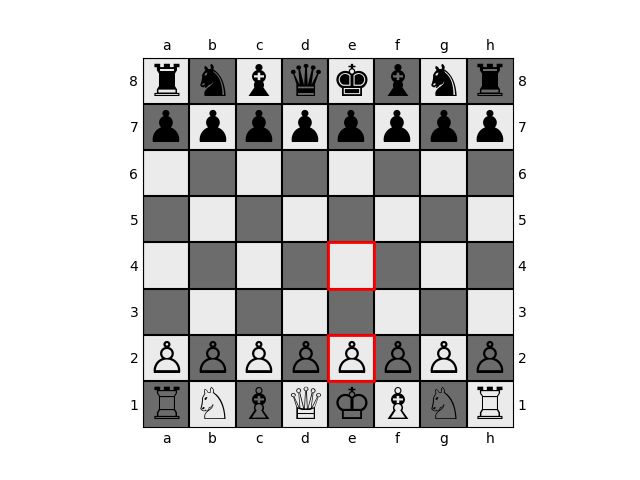
- chessplotlib.mark_move(ax: matplotlib.axes._axes.Axes, move: chess.Move)[source]
Marks the two squares used in a move.
- Parameters
- ax: plt.Axes
Axes containing the state of the board
- move: chess.Move
Move to visualize
Examples
>>> import chess
>>> from chessplotlib import plot_board, mark_square
>>> import matplotlib.pyplot as plt
>>> board = chess.Board()
>>> move = chess.Move.from_uci("e2e4")
>>> ax = plt.gca()
>>> plot_board(ax, board)
>>> mark_move(ax, move)
>>> plt.show()
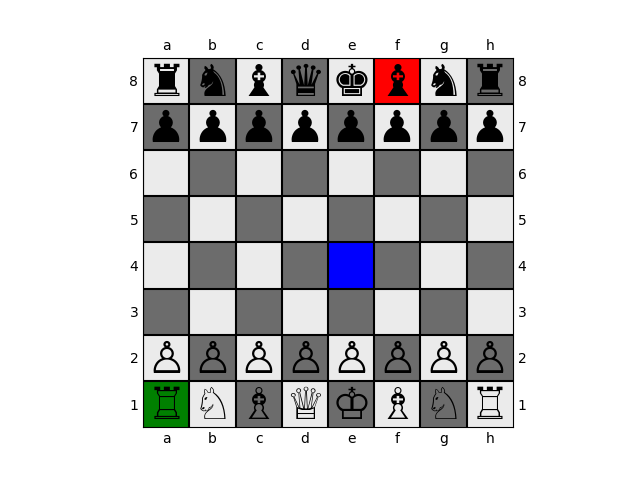
- chessplotlib.color_square(ax: matplotlib.axes._axes.Axes, square: str, color: str, alpha: float = 1.0)[source]
Fills in a square with a particular color
- Parameters
- ax: plt.Axes
Axes containing the state of the board
- square: str
String name for square, (i.e. e1)
Examples
>>> import chess
>>> from chessplotlib import plot_board, color_square
>>> import matplotlib.pyplot as plt
>>> board = chess.Board()
>>> plot_board(ax, board)
>>> color_square(ax, "e4", "blue")
>>> color_square(ax, "a1", "green")
>>> color_square(ax, "f8", "red")
>>> plt.show()
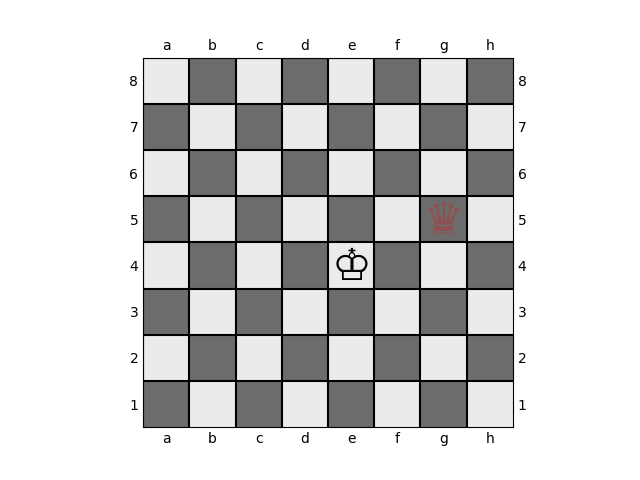
- chessplotlib.add_piece(ax: matplotlib.axes._axes.Axes, square: str, piece: str, alpha: float = 1.0, color: str = 'black')[source]
Adds a piece to the board.
Adds the piece, piece, at location square on axes ax.
- Parameters
- ax: plt.Axes
Axes containing board
- square: str
String representing the square (i.e. “e1”)
- piece: str
String symbol for the piece (i.e. “P”)
- alpha: float
Alpha for the piece, controls piece visibility
- color: str
black or white, controls the color of the piece
Examples
>>> from chessplotlib import plot_blank_board, add_piece
>>> import matplotlib.pyplot as plt
>>> ax = plt.gca()
>>> plot_blank_board(ax)
>>> add_piece(ax, 'e4', 'K')
>>> add_piece(ax, 'g5', 'q', color='red', alpha=0.25)
>>> plt.show()
- chessplotlib.add_arrow(ax: matplotlib.axes._axes.Axes, from_square: str, to_square: str, alpha=1.0, color='black')[source]
Adds an arrow from one square to the next
Draws an arrow connecting two squares together. Can be used to represent moves.
- Parameters
- ax: plt.Axes
Axes containing board.
- from_square: str
String representing the square to start the arrow (i.e. “e1”).
- to_square: str
String representing the square to finish the arrow (i.e. “e4”).
- alpha: float
Alpha for the piece, controls piece visibility.
- color: str
Controls the color of the piece, typically black or white.
Examples
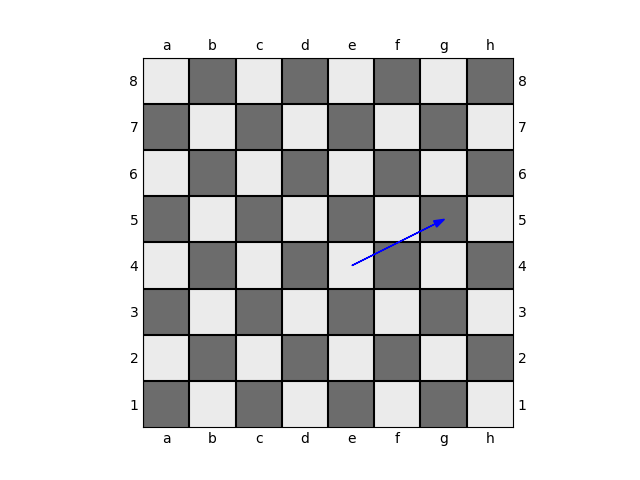
>>> from chessplotlib import plot_blank_board, add_arrow
>>> import matplotlib.pyplot as plt
>>> ax = plt.gca()
>>> plot_blank_board(ax)
>>> add_arrow(ax, 'e4', 'g5', color='blue')
>>> plt.show()